
001
Repository overview
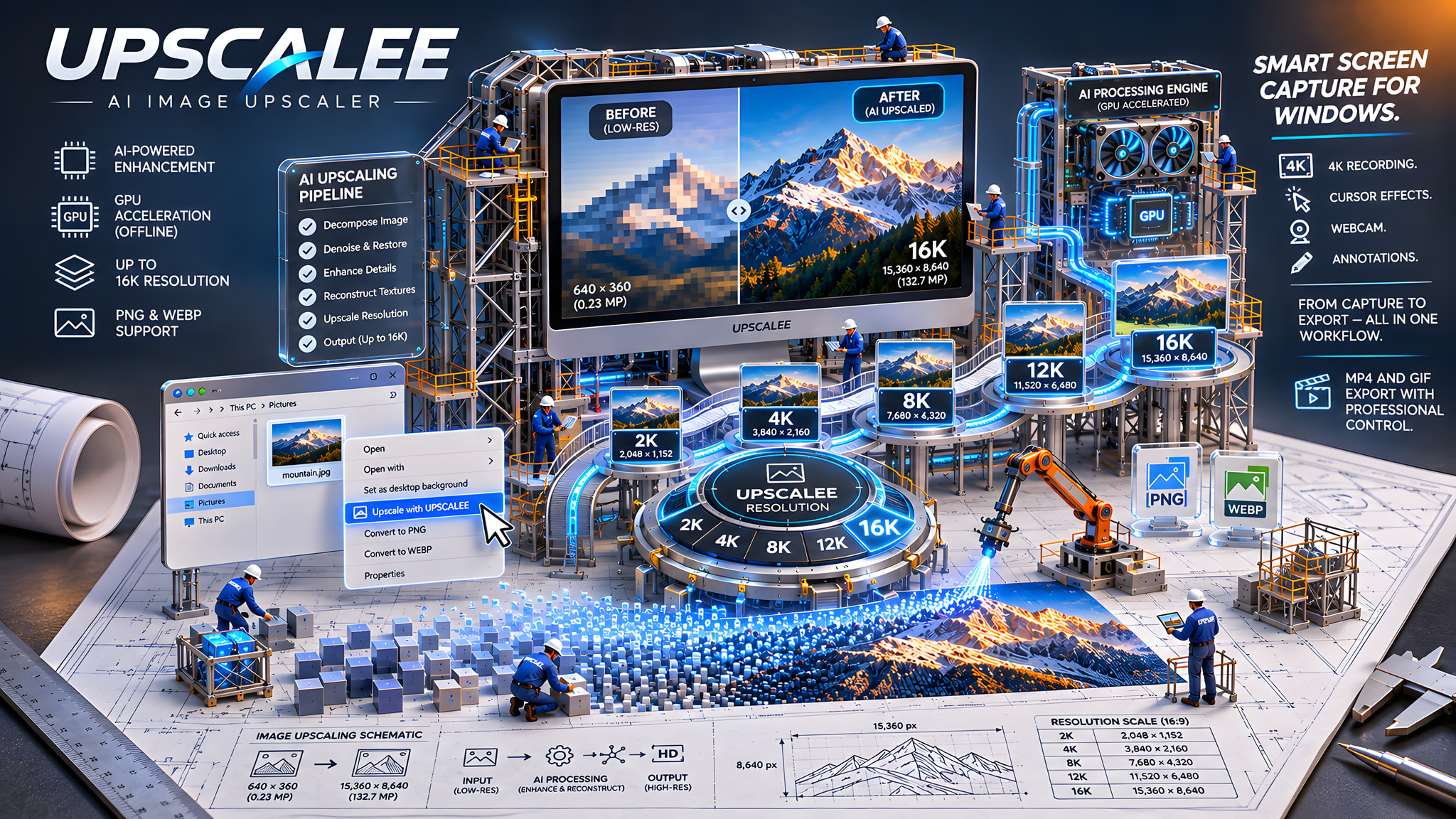
Upscalee integrates deeply with Windows Explorer to offer an offline image upscaling experience powered by Real-ESRGAN and Vulkan acceleration. It bypasses cloud dependencies by running local computations directly on the user hardware. The software includes a custom radial picker interface for resolution and model configuration.
The project aims to simplify high-resolution image upscaling workflows by embedding directly into the operating system context menu. It eliminates tedious manual conversions and external web tool uploads by bringing AI-based image enhancement straight to the desktop. Users benefit from immediate local processing that preserves EXIF data, transparency, and color profiles.
Designed for photographers, digital artists, and Windows users who need to upscale images locally with high fidelity and zero cloud friction.
002
What it does
8 evidenced features
- 01
Right-click any image in Windows Explorer -> Upscale with Upscalee -> pick 2K, 4K, 8K, 12K or 16K
- 02
on a radial menu -> an AI-upscaled copy is saved next to the original.
- 03
Fully offline · GPU accelerated (Vulkan, any vendor) · no window, no extra clicks.
- 04
Explorer Right-Click Action — classic context menu (Windows 10, Windows 11 Show more options) and the Windows 11 modern menu via a signed sparse package.
- 05
Radial Upscale Picker at the cursor: 2K / 4K / 8K / 12K / 16K (longest edge), Photo/Anime model, Keep/PNG/JPG/WEBP — mouse or keyboard (2 4 8 1 6, arrows, Enter, Tab, F, Esc).
- 06
Real-ESRGAN (ncnn Vulkan) with tiled inference, automatic smaller tiles on VRAM errors, and an exact Lanczos3 final resize.
- 07
Multi-select (3 × PNG), job queue with cancel, progress panel with Open / Show in folder, tray icon.
- 08
Safe outputs — photo4K.png, photo4K (1).png…; never overwrites; atomic writes; EXIF orientation, transparency and ICC profiles preserved.
003
How it works
Application Surface and Core Commands
The application surface is structured around modules in apps/desktop/src-tauri/src/ including app.rs, cli.rs, commands.rs, hud.rs, integration.rs, and ipcserver.rs. These components manage window surfaces, native system integration, and communication channels between the Tauri frontend and Rust backend.
Delivery and Shell Extension Pipeline
Delivery and quality assurance pipelines are coordinated through .github/workflows/ci.yml alongside integration and communication tests located in apps/shell-extension/tests/com.rs. These configurations verify the behavior of the native shell extension components across builds.
Core Workspace and Asset Configuration
High-level project setup and metadata are defined across README.md, package.json, Cargo.lock, and apps/desktop/package.json. These files establish dependencies and compile targets required for the desktop application wrapper built with Tauri and Vite.
004
Challenge
Users often need to upscale raster images to high resolutions like 4K or 16K but are forced to rely on slow, privacy-invasive cloud services or complex standalone desktop software. Integrating AI upscaling smoothly into standard operating system workflows without requiring manual file imports remains an engineering challenge. Furthermore, handling high-VRAM demands efficiently on varying hardware without crashing requires robust error fallback strategies during tiled inference.
005
Implementation
The engineering approach couples a Rust backend core with a native Windows shell extension and a lightweight Tauri frontend to deliver seamless right-click integration. Real-ESRGAN with Vulkan acceleration is embedded locally to handle heavy matrix computations directly on the user GPU without internet connectivity. A custom radial menu interface supports rapid mouse and keyboard navigation, while atomic write routines and safe naming conventions protect original source files from accidental overwrites.
006
Technology stack
DevOps
 GitHub Actions
Frontend
 Vite
- Frontend
Languages & Core
 Rust
 JavaScript/TypeScript
007
Repositories
Verified source links for this project.
